lead event happens when a user performs an action that indicates interest in your product or service. This could be anything from:
- Signing up for an account
- Adding a product to cart
- Joining a mailing list

Prerequisites
Before you get started, make sure you follow the Dub Conversions quickstart guide to get Dub Conversions set up for your links:- Enable conversion tracking for your links
- Install the @dub/analytics client-side SDK
- Install the Dub server-side SDK
Configure Supabase
Next, configure Supabase to track lead conversion events in the auth callback function. Here’s how it works in a nutshell:- In the
/api/auth/callbackroute, check if:- the
dub_idcookie is present. - the user is a new sign up (created in the last 10 minutes).
- the
- If the
dub_idcookie is present and the user is a new sign up, send a lead event to Dub usingdub.track.lead - Delete the
dub_idcookie.
Example App
To learn more about how to track leads with Supabase, check out the following example app:Supabase + Next.js App Router Example
Check out a real-world example of this in action – Extrapolate uses Supabase
Auth and Next.js App Router to track new user sign-ups.
View your conversions
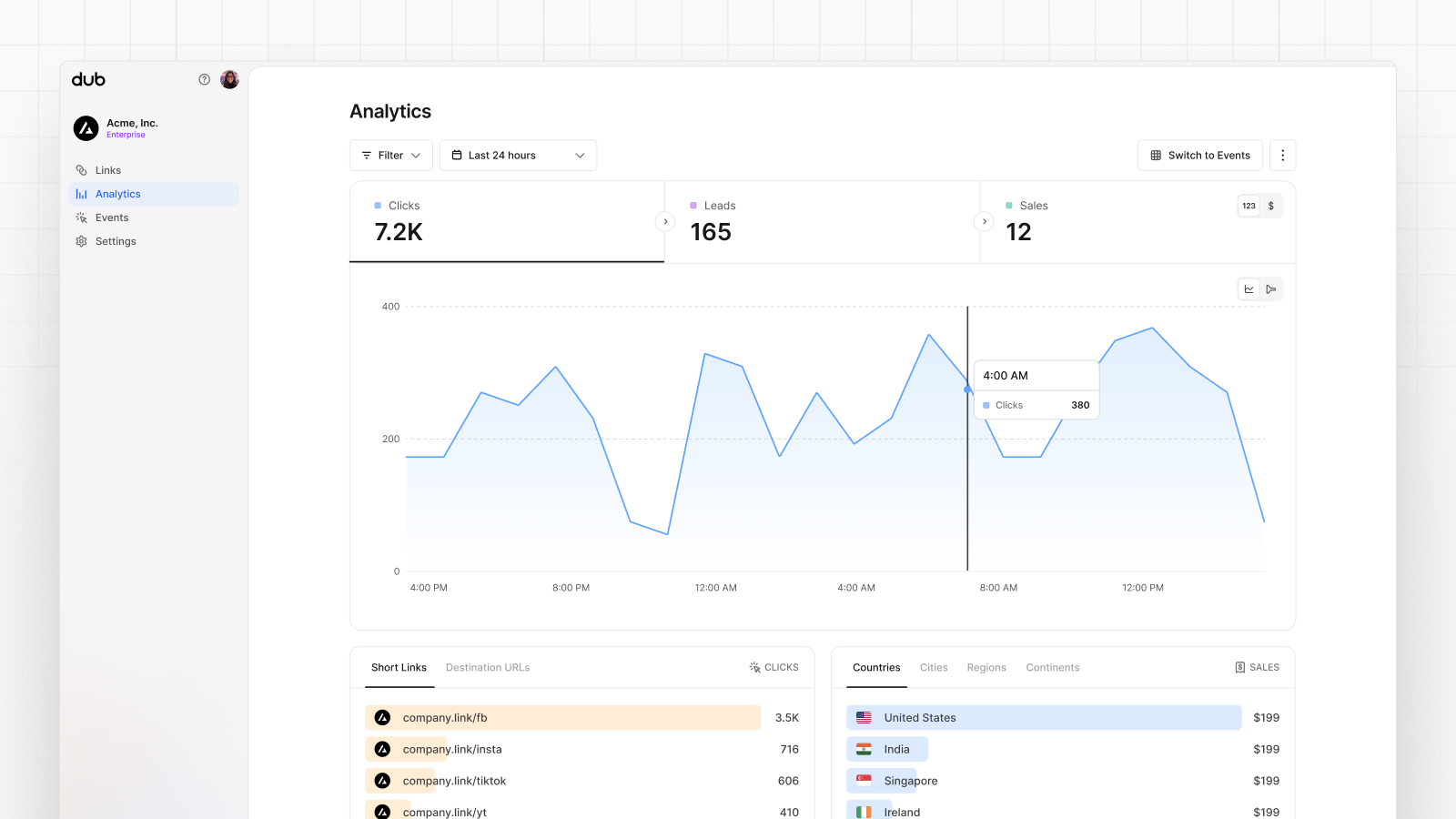
Once you’ve enabled conversion tracking for your links, all your tracked conversions will show up on your Analytics dashboard. We provide 3 different views to help you understand your conversions:- Time-series: A time-series view of the number clicks, leads and sales.
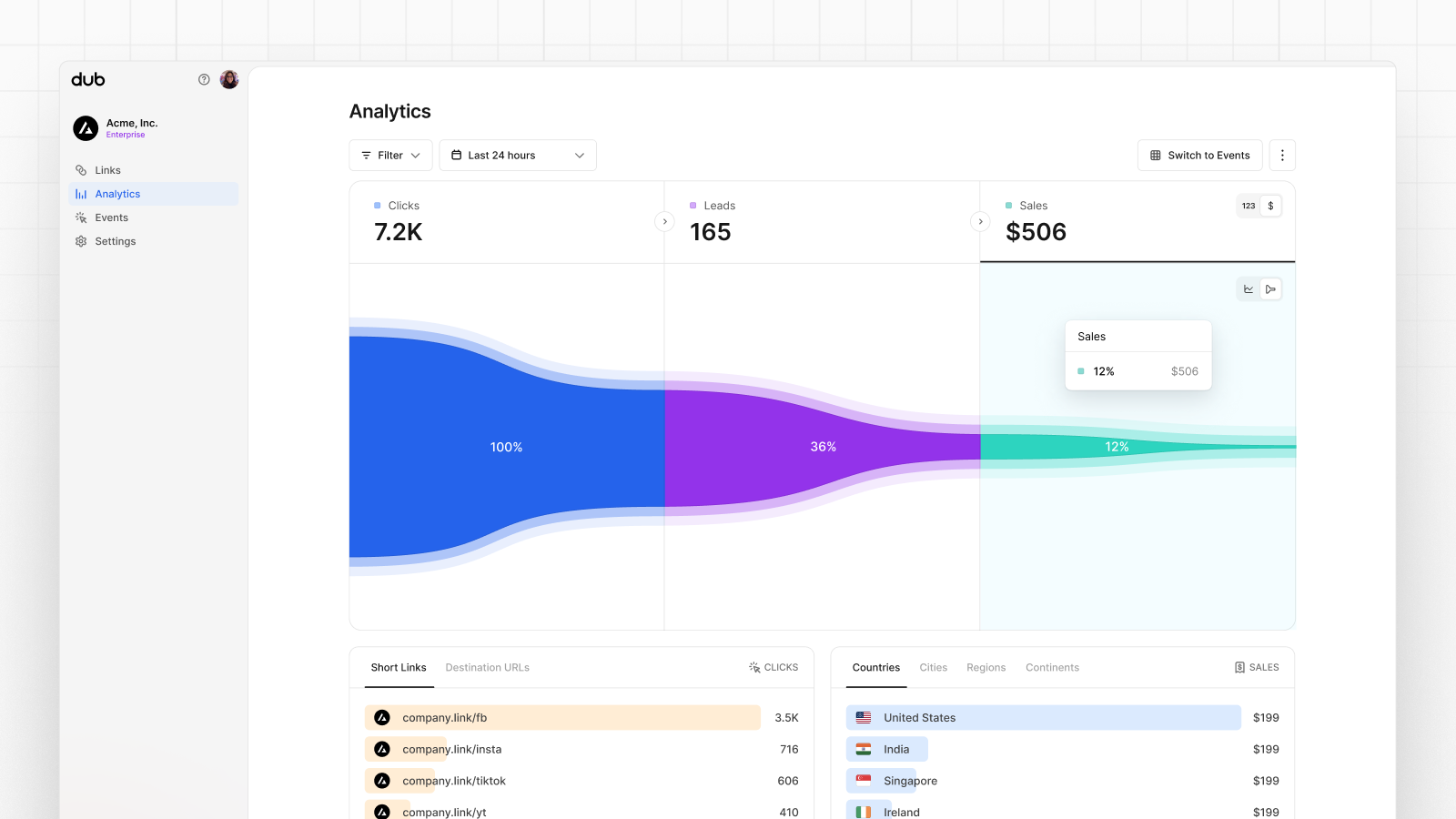
- Funnel chart: A funnel chart view visualizing the conversion & dropoff rates across the different steps in the conversion funnel (clicks → leads → sales).
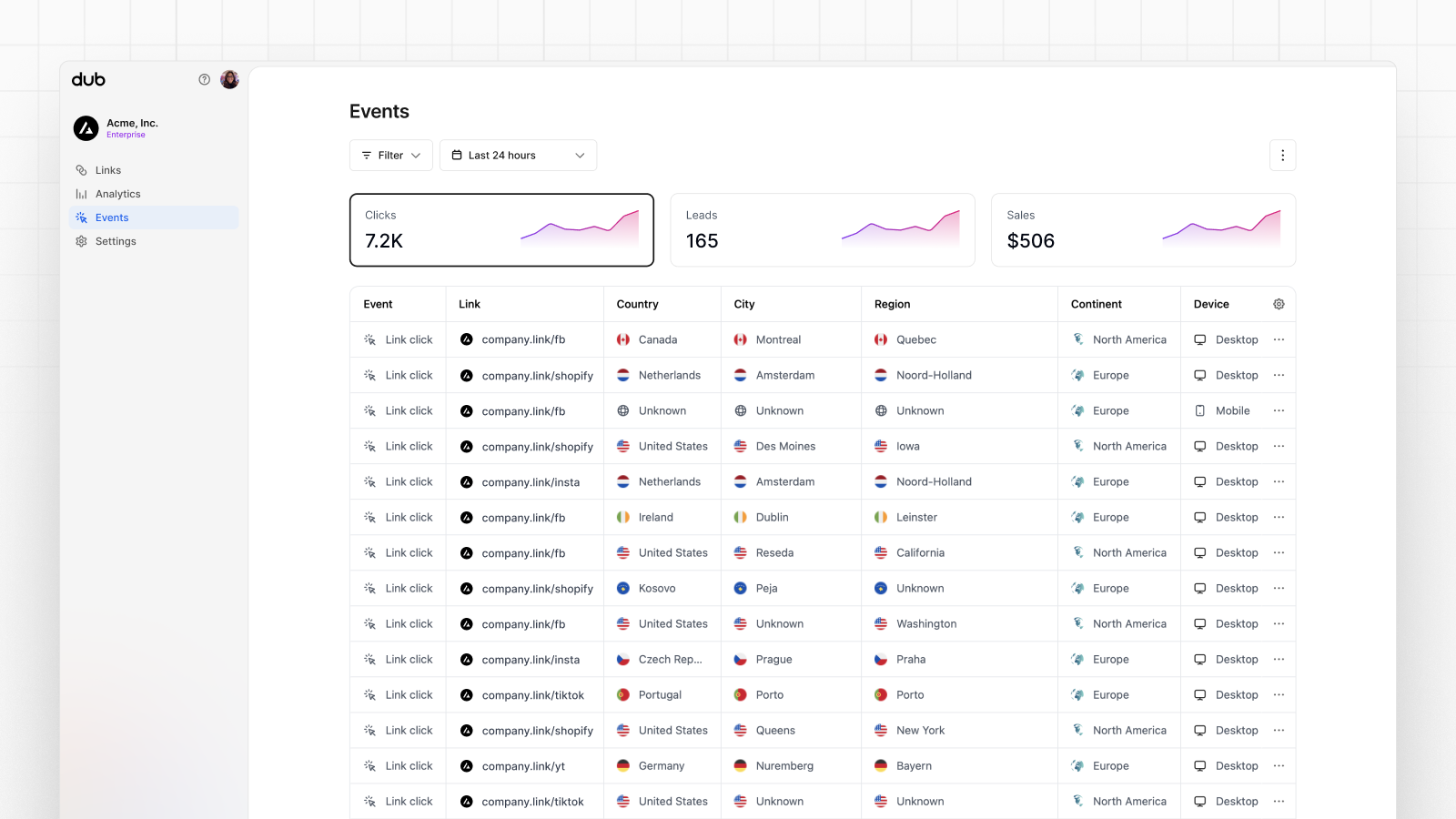
- Real-time events stream: A real-time events stream of every single conversion event that occurs across all your links in your workspace.